Showing posts with label Basingstoke photographer. Show all posts

Monday, 17 August 2020

A day around Choa Praya River and the market place, Bangkok

There is often confusion the differences between 'Photo Story and 'Photo Essay'. Both concepts require a series of photographs that have emotions, feelings and tell a story about the chosen subject. Most importantly the photographs should draw the viewer into the content of the  photography. Both Photo Story or Photo Essay can be of a place, person or an event, some text can be added if necessary, however the photograph should tell a story by itself and not the other way around.

A Photo Story can have a series of photographs ranging from a place, person, or an event, each photograph is strong on its own to tell a story about the place, an event or people.

Whereas a photo essay, a series of images depend on each other to emphasis the story, and are usually of the same one chosen subject.

For this article I chose to collate a series of images from my trip to Bangkok. These images were taken to show 'A day around Choa Praya River and the marketplace. 


Bhupinder Ghatahora ABIPP, ARPS, ASWPP
Ghatahora Photography
info@ghatahora.co.uk
www.ghatahora.co.uk
Twitter
Pinterest
Instagram
Flickr

Facebook 

Sunday, 16 August 2020

How To Take Photos With Mobile Phones

This article shows slides from The Pink Place, Basingstoke, presentation held on 14th August 2020. 

The presentation is on understanding mobile phones modes to take better photographs.


Friday, 17 July 2020

Colour

This week's project is on a Colour', I chose to photograph the colour pink. For this project you can choose any colour to set a theme for this project. Below are a selection of images that I photographed showing different styles in photography. I have varied the style from smoke photograph, panning close-up etc.

This was photographed using the panning techniques.
Fixed subject panning

Photograph of smoke, using pink gel fixed on the flash, set from the left hand side from the camera.
Smoke with pink gels


Close-up of a flower photographed at the local garden centre, using available light
Flower patterns

I chose to add a pink background to photograph the flower bud in the garden.
Pink background

The photograph of Loch Lomond early in the morning showing the colour pink in sky
Dawn - Loch Lomond, Scotland


Bhupinder Ghatahora ABIPP, ARPS, ASWPP
Ghatahora Photography
info@ghatahora.co.uk
Facebook

Monday, 13 July 2020

Tips for better landscape photography

I love landscape photography, especially when it is not sunny and bright outside, I believe weather conditions that we have here give us an endless opportunity to capture the beauty of the countryside/landscapes we have. Here are a few tips to improve your landscape photography.

Tip 1:
Photograph sunsets:
* metre for reflective foreground, such as the water; this will record the sunset and the foreground correctly
* use the ND (Neutral Density) filter

Reflections on the canal

Mountain reflection in the lake - Lake District

Tip 2:
Choose the right time of day:
* understand and see your light
* find a suitable viewpoint
* wait for right lighting conditions, light can make a huge difference in your final shot
* photograph in golden light
* photograph landscapes early morning

Photograph taken in Wales in the evening

Early morning, Loch Lamond, Scotland 

Golden light on bridge - Reading
Tip 3:
Weather conditions:
* capture atmospheric shots - take photographs in bad weather, capture rainy day shots, fog
* capture raindrops on tree branches, spider webs etc
* take a spot reading from a mid-tone from your scene

Early morning mist
Dew drop on the branch

Rain on grass reed

Snowy day, view from start of the Iron Bridge - Telford
 Tip 4:
Photograph seascape in all weather conditions:
* capture sky and reflections
* shoot dark stormy skies to create mood and atmosphere

Sunset behind the mountains

After the sunset over the beach - Lake District

Before the rain - Leicester
Tip 5:
Show scale in your photographs
* include in your photograph a human, tree, house to show scale
* use a long focal lens
* use a tripod for long exposures and in low light conditions

The tall tree - France

Walk in the park - Wakehurst Place

The red taxi - Bangkok 
Tip 6:
Exclude the sky:
* create dramatic, colourful images by excluding the sky
* concentrate on colour
* photograph reflections in the water, be creative
* photograph during the summer's hazy light to add character to your images
* exclude sky on dull days, shoot detail, patterns in the fields

Stormy day - Lands End, Cornwall

Carpet of Tulips - Keukenhof , Amsterdam 

Bubbles - Eden Project, Cornwall
Tip 7:
Photograph winter landscapes
* sun in the winter has a warm hue, giving it the 'golden light', which adds mood to the photograph
* photograph trees covered with snow, frost or rain drops
* shoot looking up at the trees
* shoot in wide angle and zoom in


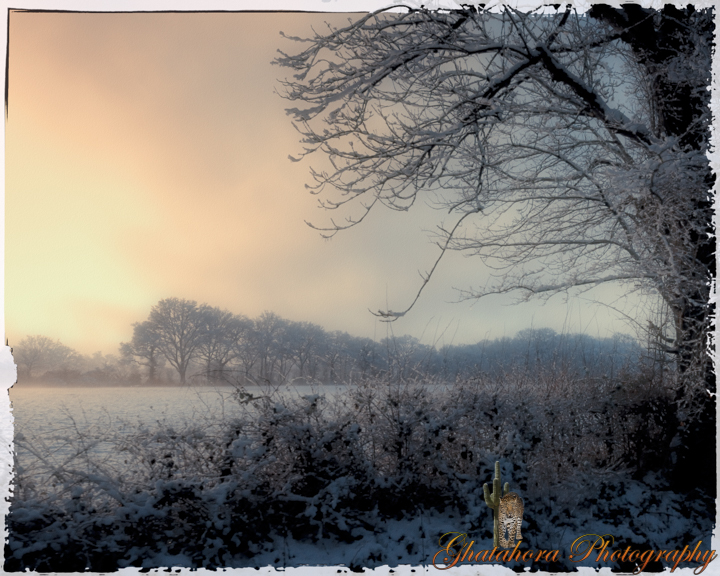
Snow - Near Bishopswood Golf Course, Baughurst

Tall trees - Pamber Forest

Snow in the trees - Tadley
Tip 8:
Leading lines:
* include paths, lines leading into the image, it creates perspective and adds sense of distance & depth
* use a wide angle lens

Micheldever Woods, Basingstoke
Dinas Head - Cornwall
Tip 9:
Include foreground interest:
* use wide angle lens
* include foreground interest to create a sense of distance
* shoot from low angle to emphasize the sky
* photo white clouds and dramatic stormy clouds

Seaside - Northumberland 


Textures - Northumberland
Tip 10:
Use slow or fast shutter speed:
* capture movement in water or to freeze the waves
* on bright sunny days use filters to have a slow shutter speed
* cloudy/shade is perfect lighting conditions to photograph movement in water


Waves - Cornwall

Bradgate Park - Charnwood Forest, Leicestershire

Bhupinder Ghatahora ABIPP, ARPS, ASWPP
Ghatahora Photography
info@ghatahora.co.uk
www.ghatahora.co.uk
Twitter
Pinterest
Instagram
Flickr
Facebook


Sunday, 5 July 2020

Light Painting with Mobile Phone

Mobile phones today have amazing in-built features that one can use to photograph creatively. I have a Huawei P30 Lite which has a triple camera with 48MP. I am really amazed with the quality of the photographs the phone produces.

I have never tried light painting with my Professional Digital camera before, however, I was ready to set my self a challenge to create light painting photographs with my Huawei Peacock Blue mobile phone. The mobile phone has standard features such as; AR Lens, Night, Portrait, Photo, Video and More. See the images below, please note that these images are screen shots of my phone.


Under the 'More' function, the phone has 11 extra settings (see image below of the functions on the mobile phone Please note that these images are screen shots of my phone).


I chose the 'Light Painting' function, which is further divided into 4 more functions, (see image below, these images are screen shots of my phone).


All of the below photographs are taken using the 'Light Painting' mode on the mobile phone.

For the shot below, I set mobile phone on 'Light Graffiti', the phone was mounted on a selfie stick which also can be converted into a mini tripod. The shot below was taken on my kitchen counter, no backdrop was used. The lights were switched off in the kitchen, prior to that the shot was focused and locked in on the face.

I used a battery operated candle to create light the image. The mobile phone on light painting mode has a ''live view' which means I could see the image being created and knew when to stop the exposure on my shot. I used the candle to light the front of the image, starting with the face, shoulders, then moving the candle around to light the whole image. While doing this, I had to keep a very close eye on the camera as it was creating the image and making sure that the light does not create any unwanted shapes or glares. The total exposure for this image was around 5 minutes.


For the shot below, the same technique as above was used. This image was lit from the back of the bottle, again keeping in mind to add no unwanted glares added to the image. I also added light to the front of the perfume bottle using a small LED torch. The torch was covered with a piece of white tissue to diffuse the light. The exposure for this shot was just over 4 minutes. I quite like the way the use of the torch has added a blue effect on the lid of the bottle. This is because the candle has a warm temperature at 1500 Kelvin and a LED torch on average is 4000/6000 Kelvin, a cooler light temperature.


This image is of a jelly candle and was lit using a battery operated candle from behind, moving the candle up and down slowly. Again, I kept an eye on the view finder to see that the image was not over exposed or casing any glares. The total exposure for this image was roughly 4 minutes.


This is an image of a house plant shot in 'Light Graffiti' mode, lit with a battery operated candle. Each part of the plant was lit in sections.
 

This image of the perfume bottle was shot using the 'Light Graffiti' mode and was lit using the LED torch and battery operated candle. The swirls were created using the candle.


The next two photographs were also taken using the mobile phone on 'Light Graffiti' mode. Both images below are of fairy lights. The phone was hand held and moved in various directions to create interesting patterns. I must have taken several photographs as I got carried away taking photographs around the house in the middle of the night. Again, keep an eye on the view finder as the image can easily be overexposed. The exposure time range from 10 seconds to a minute.


This image was taken in the garden of the stars. The phone was mounted on the mini tripod and pointed up towards the sky. The phone was set on 'Star Trails' mode. The phone was left in the garden for 45 minutes on the mini tripod. I took this shot in May around 9.15 pm. If you are taking photographs of the stars, it is best to set up when there is still some colour in the sky and on a clear night.


The last two photographs were taken through my bedroom window. It was dark outside - the light from the moon and the windows created an atmospheric scene. This was photographed on 'Night' mode on the phone.


This image is of the same scene, I just moved my phone up and down to capture the light in an abstract form.


I was truly amazed with the images the phone was capturing. When I started this project, I was not sure if it was going to be successful. It was a challenge that I am willing to explore again at another level.

Bhupinder Ghatahora ABIPP, ARPS, ASWPP
Ghatahora Photography
info@ghatahora.co.uk
Facebook